

Open the bot, tap Start and choose your language flag.
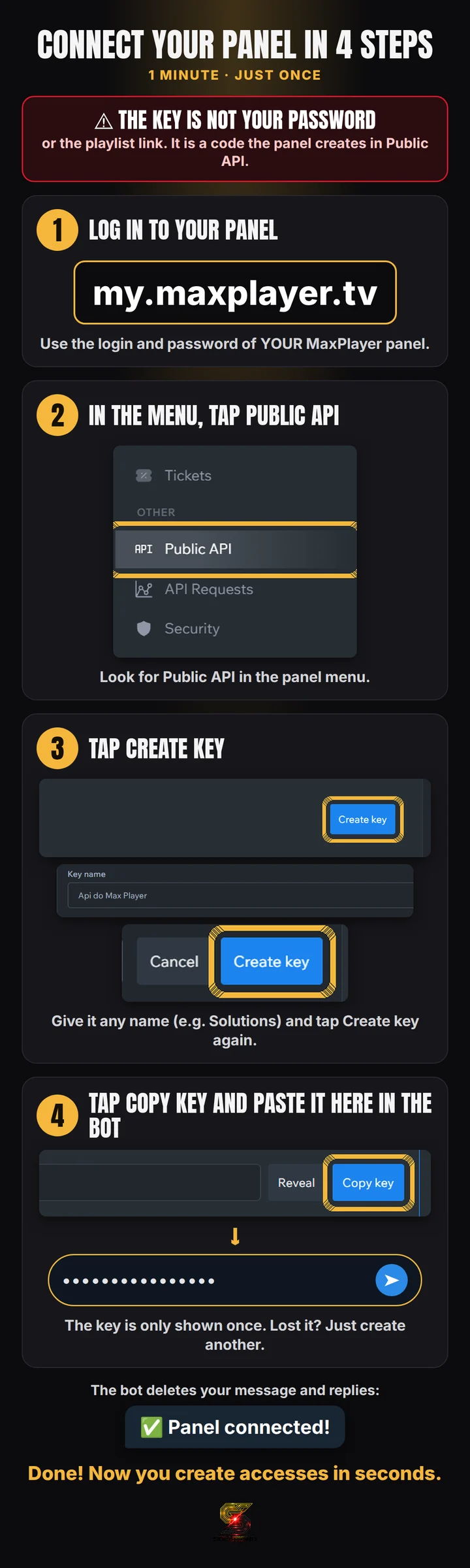
Create the API key and paste it into the bot. It deletes the message with the key right away.
Send the customer's name and the list link. The link's DNS must be added in Domains.
Check and tap ✅ Create.
Tap 📋 Copy message and send it to the customer. Done.
With DNS 1 and DNS 2 in the same group (see how), the bot puts both in the same login: if one freezes, the customer switches.
Use the bot only in a private chat. Your panel password never goes through the bot: it only uses the key.