

First: grab 2 things from the MaxPlayer panel
- The API key.
- Your DNS ID (see where it is).
In Sigma: add the server
Go to Server › Add and choose the MAXPLAYER card (A). Fill in: 1 URL/IP
https://api.maxplayer.tv· 2 the API key · 3 Use Proxy: No · 4 click Test Connection · 5 the DNS ID · 6 Reseller ID: leave empty.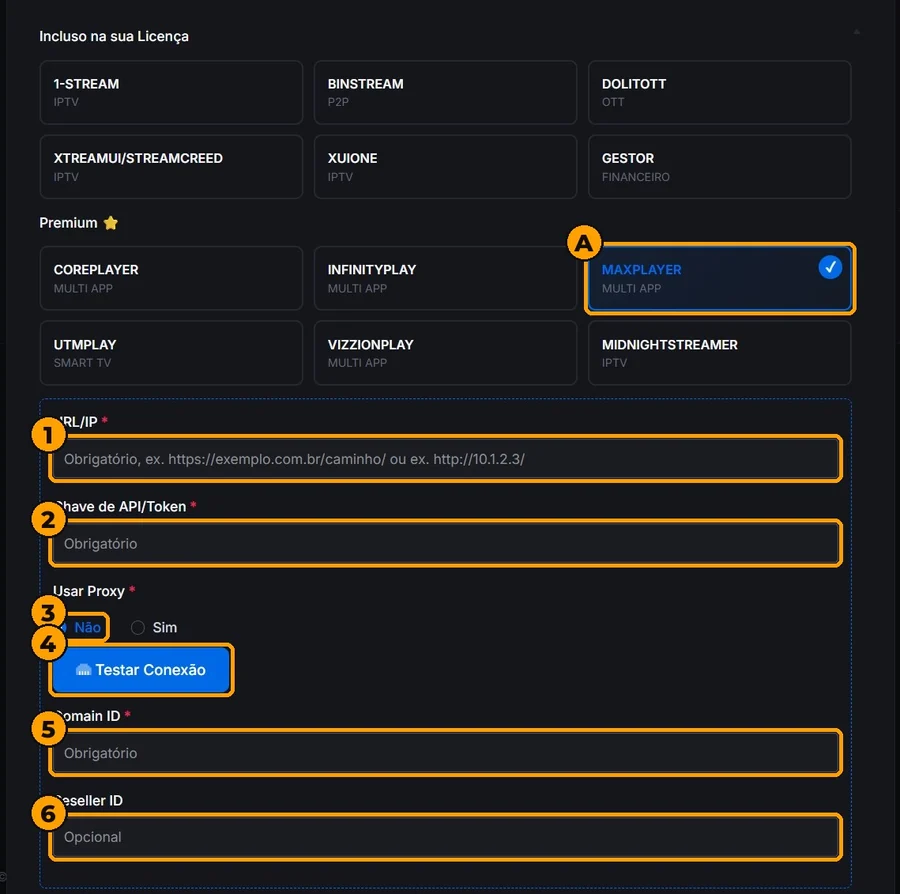
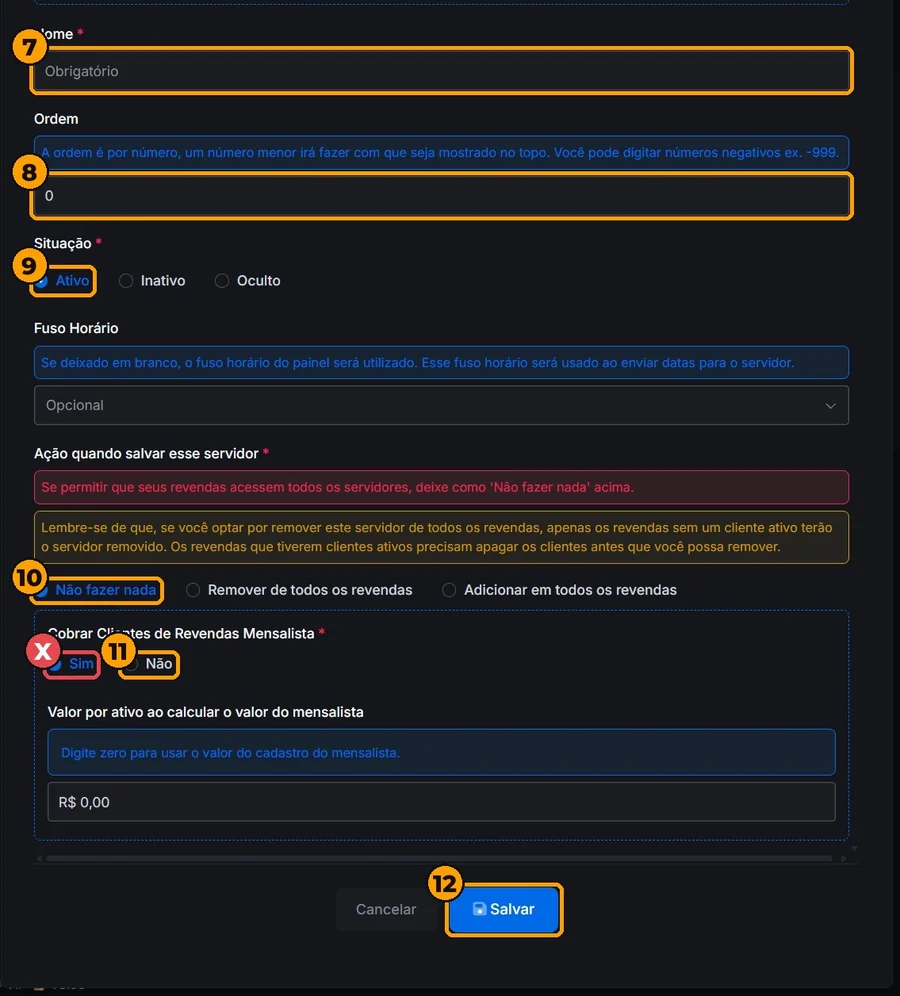
7 Name: MaxPlayer · 8 Order: any number · 9 Status: Active · 10 Do nothing · 11 Charge monthly resellers’ customers: No (it comes set to Yes) · 12 Save.
In Plans, create a plan linked to the MaxPlayer server and save.
Create 1 test customer on that plan and check
my.maxplayer.tv(Customers). There? You are connected.
Test failed? If https://api.maxplayer.tv does not pass, use https://api.maxplayer.tv/v3/api/public. Never use my.maxplayer.tv or the list DNS.
Connection OK, but the customer does not show up
The DNS ID is wrong or cut off. Copy it again from Domains (numbers only).
The plan does not show MaxPlayer
Check that the server is set to Active.
Stuck on a step? Solutions will set it up with you: write to comercialsolutions@pm.me.